

 WordPress Services
 Shopify Services
 Webflow Services
Data Migration to Shopify: A Comprehensive Checklist
Welcome to our blog where we share easy-to-follow tips, ideas, and updates. Whether you're building websites or running an online store, you'll find helpful content to learn and grow.
 AuthorIntegriti StudioJune 2, 2026
Making the move to Shopify as your e-commerce platform might highly transform your online business. Shopify is quite full of unique features, scalable, and it is an easy-to-use platform that makes store management feasible and gives you strong tools to increase sales. But moving the entire data from your store to Shopify is quite crucial procedure that has to be very carefully planned and carried out. A thorough migration checklist is included in this article to guarantee a very seamless and easy data migration process. This migration checklist helps ensure no data loss and a smooth transition for your new store.
Why Is Data Migration to Shopify Important?
Moving your data is only one aspect of migrating to Shopify; another is making sure your e-commerce store can run very effectively on a platform designed specifically for success. A successful transfer maintains the high integrity of your online store’s operations while preserving the important customer data, product data, and the entire purchase history.
A well-conducted migration totally guarantees that your business and customer experience will be very minimally disrupted, regardless of whether you’re switching from WooCommerce, Magento, BigCommerce, or another old platform. Using a structured migration process and possibly a migration expert can further reduce risks in any platform migration.
Pre-Migration Checklist
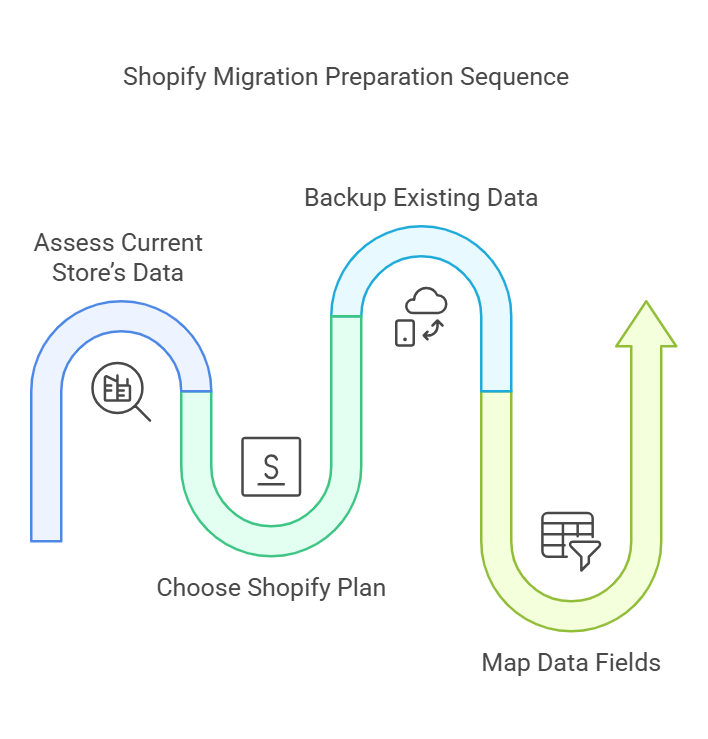
1. Assess Your Current Store’s Data
Before initiating the migration process, take stock of your current e-commerce store. Identify all the data you want to migrate, including:
- Product information (titles, descriptions, images, prices)
- Customer data (names, emails, purchase histories)
- Order history and transaction details
- Website content (blogs, policies, FAQs)
This stage guarantees that during the migration, no important information is missed. Additionally, it is an excellent time to eliminate any unnecessary or obsolete data and audit the store assets and product pages.
2. Choose the Right Plan
Shopify offers various pricing plans tailored to different business needs. Before migration, review features and choose a plan that aligns with your store’s requirements. Consider factors such as product inventory size, sales volume, and advanced features like analytics, reporting, and Shopify admin tools.
3. Backup Your Existing Data
Backing up your store’s data is a non-negotiable step. In case anything goes wrong during the data transfer, a backup ensures you have a safety net to restore your data. Many platforms offer built-in backup tools, third-party apps from the Shopify App Store, or tools like Cart2Cart or LitExtension to simplify the CSV import process.
4. Map Data Fields
Shopify may use different naming conventions or field structures compared to your current platform. To ensure data import is accurate, create a mapping document that aligns your current data fields (e.g., product titles, SKU numbers, and images) with Shopify’s format. Consider using migration apps to reduce manual work.
Migration Checklist
1. Export Data from Your Current Platform
Export all relevant data from your existing e-commerce business platform. Most platforms allow you to download data as CSV files, which can then be formatted and imported into Shopify. Be sure to export:
- Products and categories
- Customers and user accounts
- Orders and transactions
2. Import Data
Once your complete data is properly formatted, you can easily upload it using third-party software like Matrixify, Shopify’s built-in admin tools, or migration apps. Shopify offers very detailed instructions for importing data to make sure you never overlook any important details, ensuring a successful migration.
3. Test the Imported Data
After the initial import, thoroughly test your new store to ensure the data from your current platform has been transferred accurately. Review:
- Product listings and images
- Customer profiles and order histories
- Website navigation and categories
Testing allows you to identify and fix any errors before the store goes live.
4. Set Up Payment and Shipping Options
During the migration process, configure payments, payment gateways, and shipping zones in your Shopify store. Ensure that your store supports all relevant payment methods and shipping regions to avoid disruptions for your customers. Consider setting shipping rules and configuring apps as needed.
Post-Migration Checklist
1. Optimize Your Store Design
Once the entire data has been fully migrated, modify the store setup and layout to highly reflect your brand. There are tons of themes available on the theme store that can be customized according to your tastes. Make sure your website is quite easy to use, responsive, and visually very appealing.
2. Set Up Redirects
The URL structure for your store can change if you’re switching from one platform to another. Maintaining your SEO, organic traffic, and ensuring that clients can locate your products depend on the setup of 301 redirects or URL redirects. Shopify provides tools to help you create redirects efficiently.
3. Enable Analytics and Tracking
Google Analytics and other external platforms can be integrated with Shopify’s built-in analytics features. By turning on monitoring, you can keep an eye on your store’s performance, see patterns, and make informed decisions for meta titles, search engines, and sales.
4. Notify Your Customers
Inform your customers about the migration and any potential changes to their user experience. Reassure them that their accounts and customer records remain secure. To alert clients, use email campaigns, posts on your website, and social media.
Key Benefits of Data Migration to Shopify
1. Streamlined Management
Shopify’s user-friendly dashboard and automation features make store management easier. You can handle products, orders, and customers more effectively by moving.
2. Enhanced Scalability
Shopify can effortlessly handle growing traffic and sales volumes as your company expands. Consistent performance during peak periods is guaranteed by the platform’s strong infrastructure.
3. Access to Advanced Features
Among the many services that Shopify provides are multi-channel selling, SEO optimization, and integrated marketing tools. These characteristics help businesses a lot in maintaining their competitive edge in the highly evolving e-commerce migration market.
Conclusion
Making a highly strategic choice to move can open up many opportunities for growth for your company. You can guarantee a successful and smooth store migration with little interruption to your business operations by following a thorough plan and making use of Shopify’s extensive skills.
Keep in mind that extensive planning, implementation, and testing are essential for a successful migration. You can position your company for long-term success on Shopify by ensuring data accuracy, store optimization, and prioritizing client communication.